Object-Based Surround Panning
To assign individual objects their own surround position independently of track-based panning, each object can be routed directly to a surround master or surround bus.
To do this, open the object editor of this object by double-clicking on it, switch to the tab FX and open the Surround Routing menu in the section Pan by clicking on the Surround button.
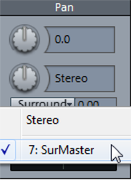
Select a surround bus or master from the menu to route the object to the appropriate bus or master. Hold down the Ctrl key while selecting in the object editor to route the object additionally to this master and thus combine different surround pannings. An additional slider appears in the object editor which can be used to adjust the object's send level to the Surround bus or master.
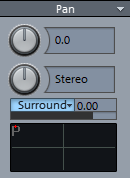
Right-clicking in the surround panorama field below opens the corresponding Spatial Panner. Here you can set the positioning in the Surround panorama.
|
|
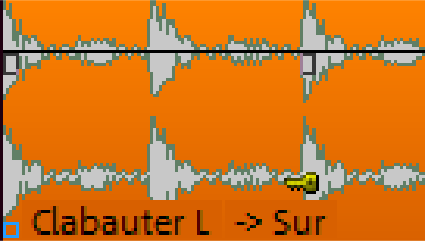
Object-based surround panning is displayed at the object in the project window with the appendix -> Sur. If the object is not currently routed to the surround master but still contains surround panorama information, only Sur is displayed. |
Note:With object surround panning, the audio signal no longer passes through the track's effects chain. Any processing set up there (plug-ins, EQ, etc.) has no effect on this object.